

One unit, one booking, one guest record.
A room is sold once for a given night. The reservation holds the unit, locks the rate and carries the guest through arrival, extension and departure. Availability is derived from the booking status, not a separate flag.
- Unit — the physical room, apartment or rental.
- Category and rate — what the unit is and what a stay costs.
- Reservation — the guest, dates, unit and locked price.
- Invoice and payment — the money side of the stay.
- Key card — physical access for the exact stay dates.
Check-in is gated on a valid invoice and real payment. A booking does not become an occupied room just because someone clicked a status.
Before the first booking
- Units exist and are grouped into the categories you sell.
- Rate rules are set for the seasons and stay lengths you offer.
- The Reservation business type is active at the property.
- Front-desk staff have the right location and role.
- The card-encoder bridge is installed, running and tested with a spare card.
One stay: phone booking, walk-in, extension, checkout.
Your front-desk day
You as front-desk operatorA caller books a Deluxe Suite for three nights. Later, a walk-in pays at the desk. During the stay, the guest extends by two nights. You re-encode the card, then complete the checkout and take the card back.
Create the booking
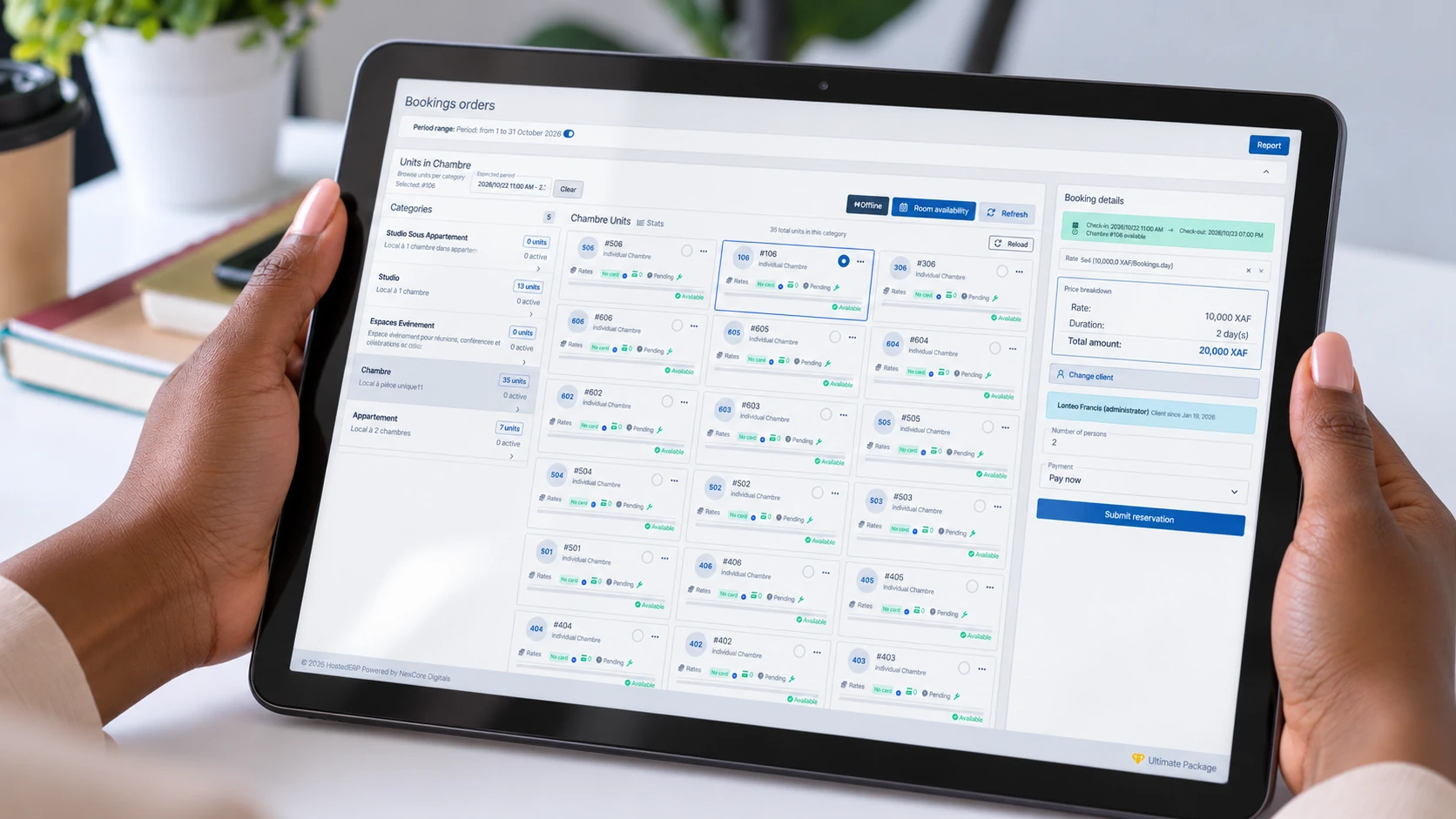
You create or find the guest record, choose the category and unit, set the dates and select a rate. The rate is locked at booking.
Check: the unit is not already held for those nights and the rate is the one you quoted.Leave it pending, or take payment
An advance booking can stay pending until arrival. A walk-in who pays at the desk gets an invoice and a real payment before check-in.
Check: the booking status and the payment status agree; a pending booking is not treated as confirmed cash.Check in only after payment
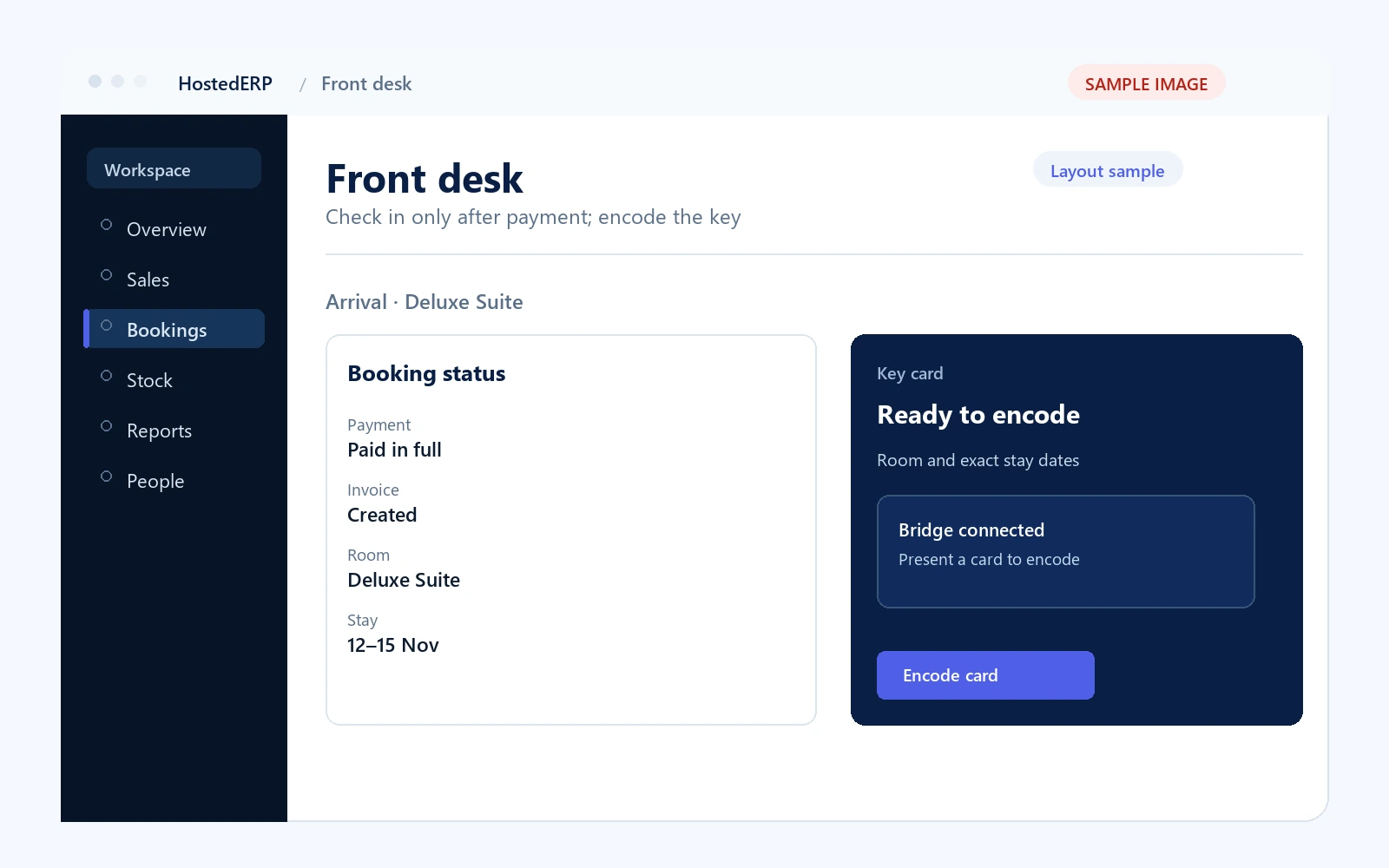
You activate the stay only when a valid invoice is paid. The system refuses to move the booking into an occupied state on trust alone.
Check: the invoice is paid and the booking is active before you hand over a key.Encode the key card
You present a card at the encoder. The card receives the room identity and the exact stay dates, so the lock enforces the stay offline.
Check: the encoder confirms success and the card opens the assigned room.Handle the extension
The guest asks for two more nights. You re-check availability, re-price the booking and re-encode the card with the new checkout date.
Check: the new dates do not overlap another live booking and the card carries the new departure date.Check out and take the card back
You settle the balance, confirm the card is physically returned and release the room. A card that is not returned remains a real access risk.
Check: the booking is completed, the card is returned and the unit is available for the next guest.
Payment and presence gates
A booking becomes an occupied room only with a valid, paid invoice behind it. This is deliberate; it prevents a room being handed over without a real charge.
Activating a booking does not write a card by itself. You still encode it at the desk, for the room and exact dates.
At checkout, the card must come back before the room is released. The card is a physical key, not only a status flag.
When the stay does not go to plan
The booking is still pending
Unpaid, uninvoiced holds can expire. Follow up before the expiry date; do not assume a booking on the calendar is confirmed revenue.
The card encoder bridge is down
There is no automatic metal-key fallback in the offline lock design. Restart the bridge and test before proceeding, rather than handing over an unencoded card.
The guest loses the card
Treat it as a physical access issue. Follow the lost-card procedure, issue a replacement and account for the missing card; do not simply ignore it.
The guest wants to move unit
Check availability and re-encode the card for the new unit. A card encoded for the old room will not open the new one.
If the payment is not real, the check-in is not real. Correct the invoice or payment first.
Reports to check
Units Summary & Occupancy
Rentable units, pending, unpaid, active and overall occupancy.
Booking Revenue Report
Pending, active and extended booking revenue, with discounts. Pending revenue is forward-looking, not confirmed cash.
Payments Received & Outstanding Payments
Collected against reservation invoices, and what remains outstanding.
Card Encoding Activity
Success, failure and pending encoding jobs. A rising failure rate points to the encoder, not the booking.
Bookings Management Dashboard
Status counts, occupancy, arrivals, departures, outstanding payments and card activity in one morning view.
Card Encoder Report Suite
Encoding queue, card state by unit, assigned cards and the weekly summary.
An outstanding payment, a card waiting to be encoded or a report ready at the desk can reach you on your phone — wherever you are. The bell keeps the record if the alert is missed.
Next step
If the property also runs a restaurant, the restaurant guide shows how in-house dining and room charges share the same guest record and reporting discipline.