

Five things stay connected.
A restaurant sale is not one screen. It is a table, an order, an invoice, a kitchen ticket and a stock effect. You do not reconcile them by hand; the platform keeps them together.
- Table — where the guest is sitting or how the order leaves the kitchen.
- Order — the items and quantities you build for that table.
- Invoice — created with the order, not after it.
- Kitchen ticket — what the kitchen receives when you send the order.
- Stock effect — the recipe lines consumed when the order becomes a live ticket.
An order and its invoice are created together. You should never have a kitchen ticket without a bill behind it.
Before service
You or your manager open the evening shift before the first guest is seated. The opening snapshot is the starting point for the stock side of the close.
- The correct location and department are selected.
- The Restaurant business type is active.
- Menu items have prices; composed dishes have confirmed recipes.
- The receipt printer and kitchen printer or screen are online.
- The shift is open and staff are assigned to the floor.
Table 12: one table, from order to settlement.
Your Friday dinner service
You as waiterA party of four is seated at Table 12. You take the order, send it to the kitchen and settle the bill in two payments. Nothing in this sequence needs a separate stock entry or a separate bill.
-
Open the shift
You or your manager open the evening work session. The platform records the start of the shift and takes the opening stock snapshot.
Check: the active shift is visible and the correct location is selected. -
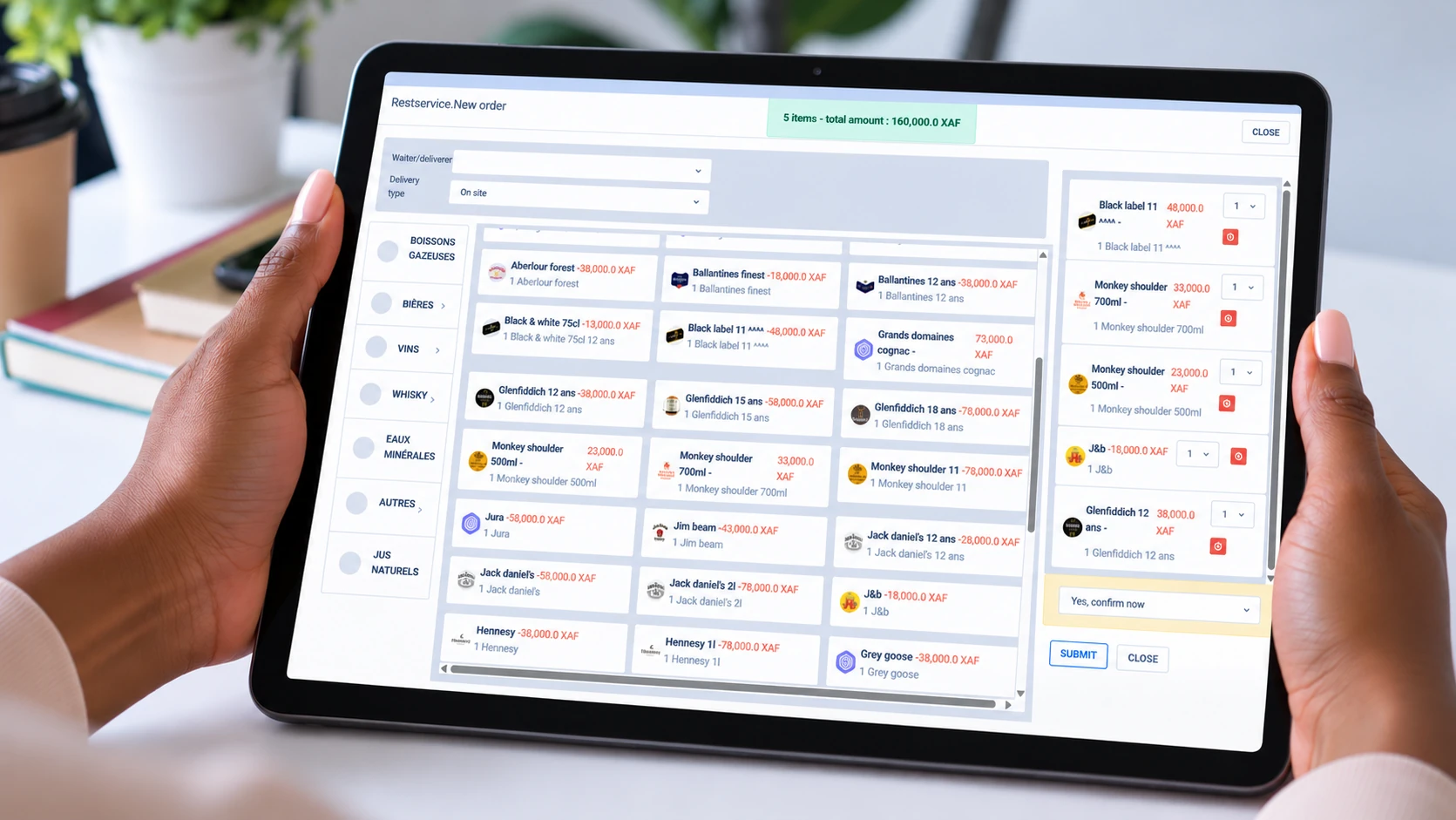
Open Table 12 and build the order
You as waiter select Table 12, add two grilled chicken plates, one chicken curry and four soft drinks. Each item prices itself from the menu you configured.
Check: the table is assigned to you and the item total matches the menu. -
Send the order
You submit the order. The kitchen ticket is sent and the invoice is created with the order. You do not create a separate bill later.
Check: the kitchen has the ticket and the table shows the order as sent. -
Mark items served
As the dishes leave the kitchen, you mark the items served. The order status advances; the table is no longer just an open order.
Check: the served items match what reached the table; do not mark an item before it is served. -
Split the bill
Your guests split the bill. You take a cash payment for half of the amount, then a card payment for the remainder. The balance updates after each payment.
Check: the remaining balance reaches zero and both payment methods are recorded against the same invoice. -
Complete the table
When the last payment lands and the table is cleared, the order and invoice settle together. A receipt can be printed for the guest.
Check: the table is released and the invoice shows fully paid, not partially paid. -
Review the night at close
You and your manager close the shift, enter the physical cash count and review the stock and cash reconciliation before approving the report.
Check: any variance is investigated and explained before the shift is approved.
What changed, and why it matters
You did not open a stock screen or create a second bill. The sale, the kitchen ticket and the stock effect were recorded from the same order.
The invoice is created with the order, so the kitchen cannot have a ticket that the accounts cannot see.
When the order becomes a live ticket, the recipe lines reduce the kitchen’s stock. You do not write off ingredients by hand after service.
The shift’s sales, payments and expected cash update as you work. The close is a reconciliation, not a reconstruction.
When the normal path does not fit
Most service follows the sequence above. These are the exceptions worth knowing before they happen.
A guest changes table
There is no dedicated move-table tool. The practical route is to void the original ticket and rebuild it at the new table. Do this before payment; a completed bill needs your manager.
A dish is returned and remade
Do not record a second consumption event. The recipe was consumed when the order was first sent. Let a scheduled count catch a real variance rather than subtracting the ingredients twice.
A discount is needed
Record a reason with the discount. A bill can carry one discount at a time. A discount large enough to clear the balance is a deliberate correction, not a routine payment.
A paid bill is wrong
Once a bill is fully settled, you cannot reopen it as a waiter. Your manager or administrator must correct the order and adjust the payment record. The physical return of cash remains a manual, authorised step.
Voiding and rebuilding creates a second record. Use it for a genuine table move or a cancelled order, not for a small item change that can be handled on the open ticket.
Reports to check
You do not need every report after every service. Start with the question you need to answer, then open the report that answers it.
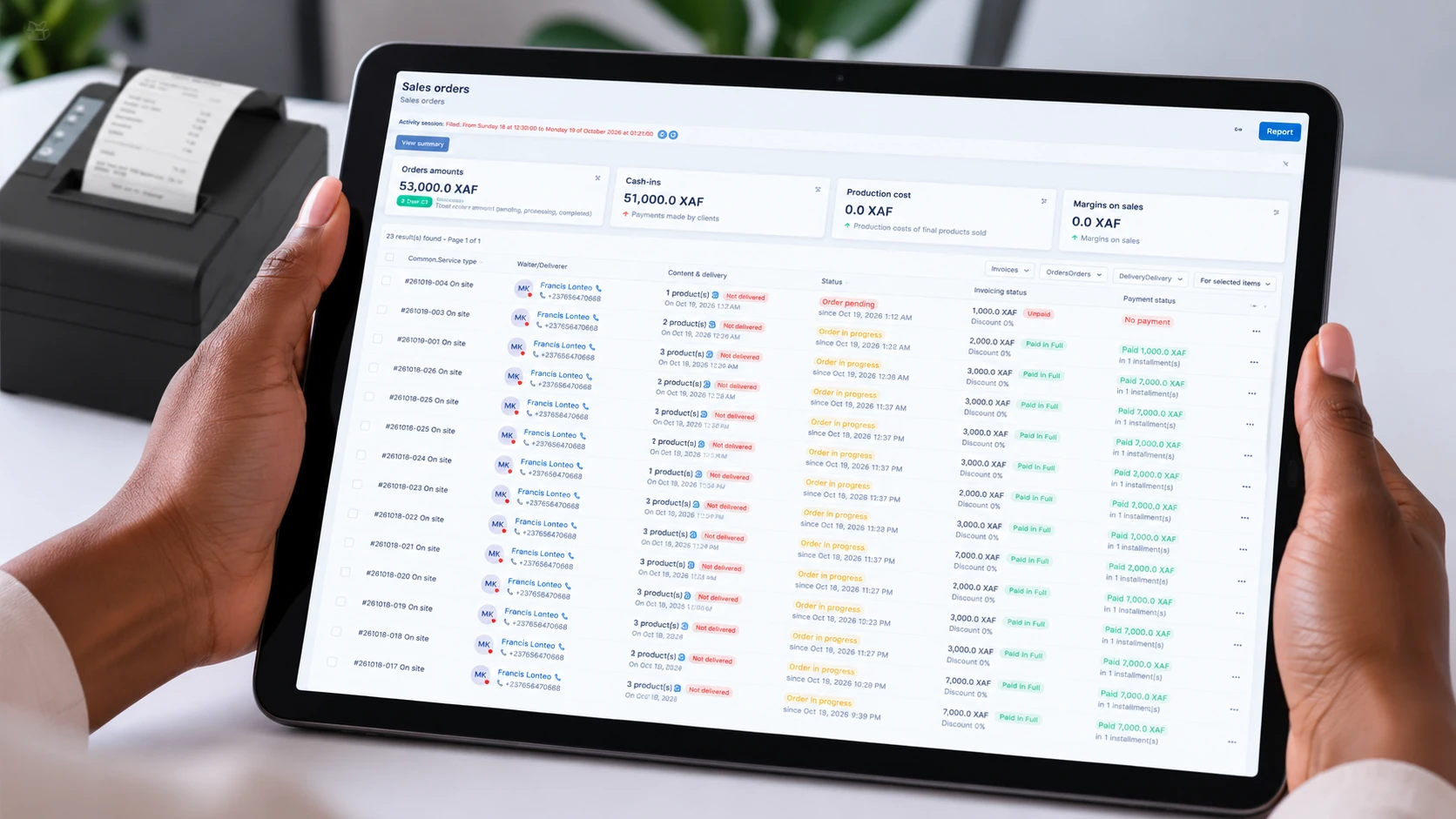
Shift Sales Report
The end-of-shift figure for the session: what was rung up, what was collected and what remains unpaid.
Stock & Cash Reconciliation Reports
Compare expected stock and cash with the physical count. Treat a flagged gap as a signal to investigate, not a confirmed loss.
Period Sales Report
Sales, production cost, sale price and margin by product, category, team member and payment method.
Live Order & Sales Activity View
A working pulse-check during service. Use it to spot a collection bottleneck; use the closed report for reconciliation.
Team, Category & Product Performance Reports
Attribute sales to staff, teams, products and categories. Cost and margin depend on confirmed recipes.
If a margin looks unusually good, confirm the recipe is fully configured before treating it as a real efficiency gain.
When a restaurant report is ready, Heads-Up can reach you on your phone — wherever you are. The in-app bell keeps the same alert if you miss it.
Close the shift
Closing is a reconciliation with two sides: the cash you physically count and the stock the system calculated from sales, recipes and movements.
- Settle or account for every open table before the shift ends.
- Confirm the shift has reached its scheduled close or close it manually.
- Enter the physical cash count. Do not enter the expected figure.
- Review the stock and cash comparison.
- Investigate any variance and record the explanation.
- Approve the report only when no discrepancy is left open.
Next step
If your next sale is over a counter rather than at a table, the snack guide shows the faster rhythm. If you want the report catalogue across business types, continue there when it is published.