

Two tiers, one movement record.
Purchases land in the main warehouse. Departments receive what they consume. Sales and recipes then consume department stock. You do not type a new total after every movement; the platform calculates it from the recorded events.
- Main warehouse — the source of truth for procurement and bulk stock.
- Department stock — what the kitchen, bar or shop can actually use.
- Movement — receiving, dispatch, usage, waste, sale or audited adjustment.
- Count — physical evidence that re-anchors the calculated figure.
Stock changes only through a recorded event. Do not overwrite a total because it “looks wrong”; find the movement or count that explains it.
Before receiving
- Products have a purchase unit and a stock unit.
- Suppliers are recorded, with current contact and price information.
- Reorder thresholds are set for the items you do not want to run out of.
- Your administrator has assigned who can order, approve, receive and count.
- The main warehouse and the receiving department exist.
Delivery day: from purchase order to department shelf.
Your delivery day
You as stock managerThe kitchen is low on rice and cooking oil. You raise the request, your manager approves the purchase, and the delivery arrives with slightly different quantities from the order. You confirm what actually arrived, then dispatch the kitchen’s share.
Raise the purchase order
You as stock manager turn the low-stock request into a purchase order for one supplier. Your manager approves it before the order is sent.
Check: the supplier, products and ordered quantities are correct.Receive what actually arrived
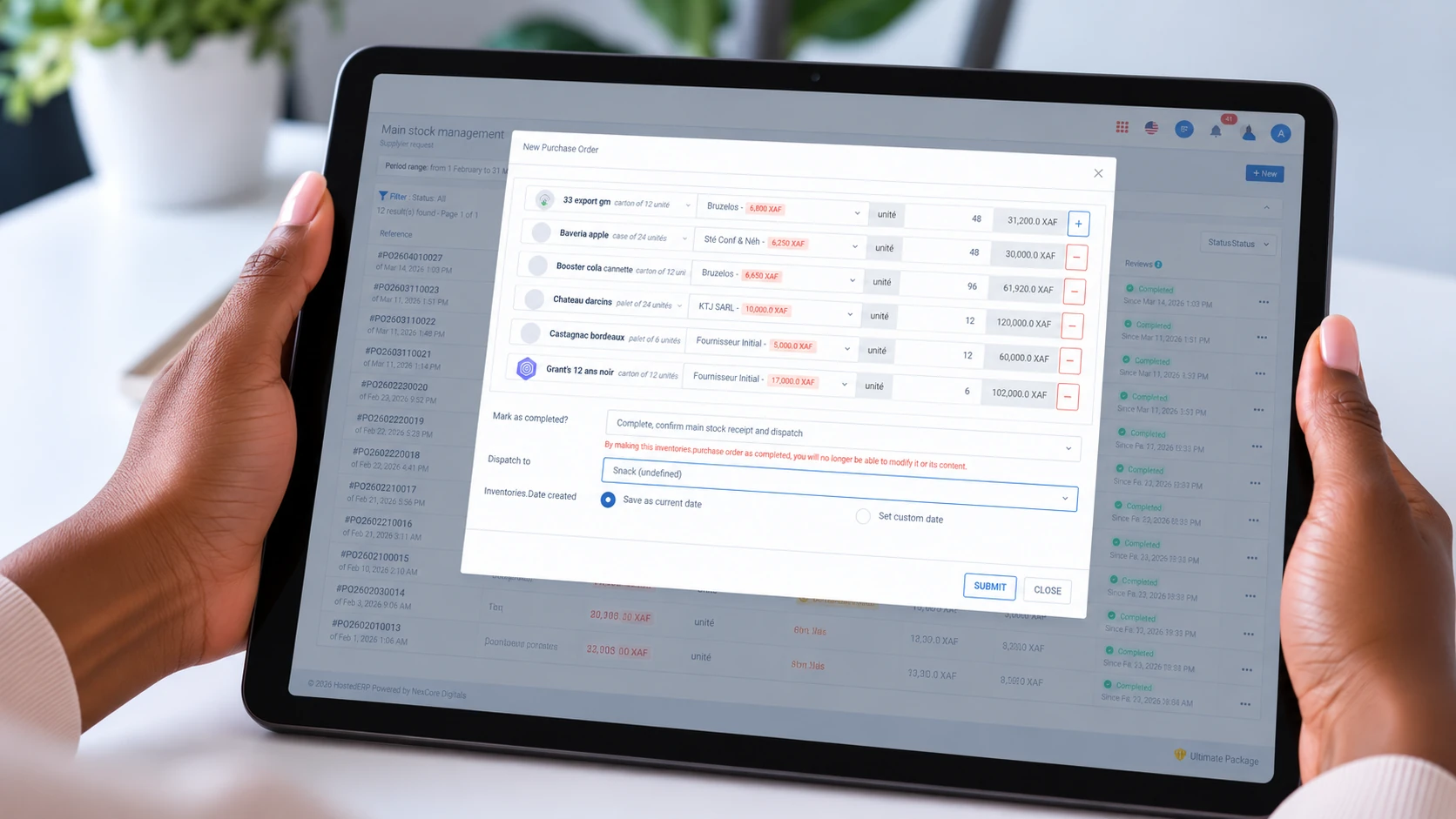
The delivery arrives. You confirm the quantities and unit prices against the delivery note, not against what you hoped was ordered. A difference is a real receiving fact.
Check: the received quantities and prices match the delivery note; attach the reference.Confirm the delivery
Only after confirmation does the stock become available. A delivery that is physically on the floor but unconfirmed contributes nothing to what you can dispatch.
Check: the warehouse figure rises by the confirmed quantities.Dispatch to the kitchen
You dispatch the kitchen’s share. The system checks that the warehouse actually holds enough before it accepts the dispatch.
Check: the warehouse falls and the kitchen department rises by the same quantity.Let sales consume the rest
Recipe lines consume department stock as dishes are sold. Direct-sale items reduce their exact product. You do not make a second deduction by hand.
Check: the movement history shows the sale as the cause, not a manual adjustment.
Count day: prove the figure.
Your monthly count
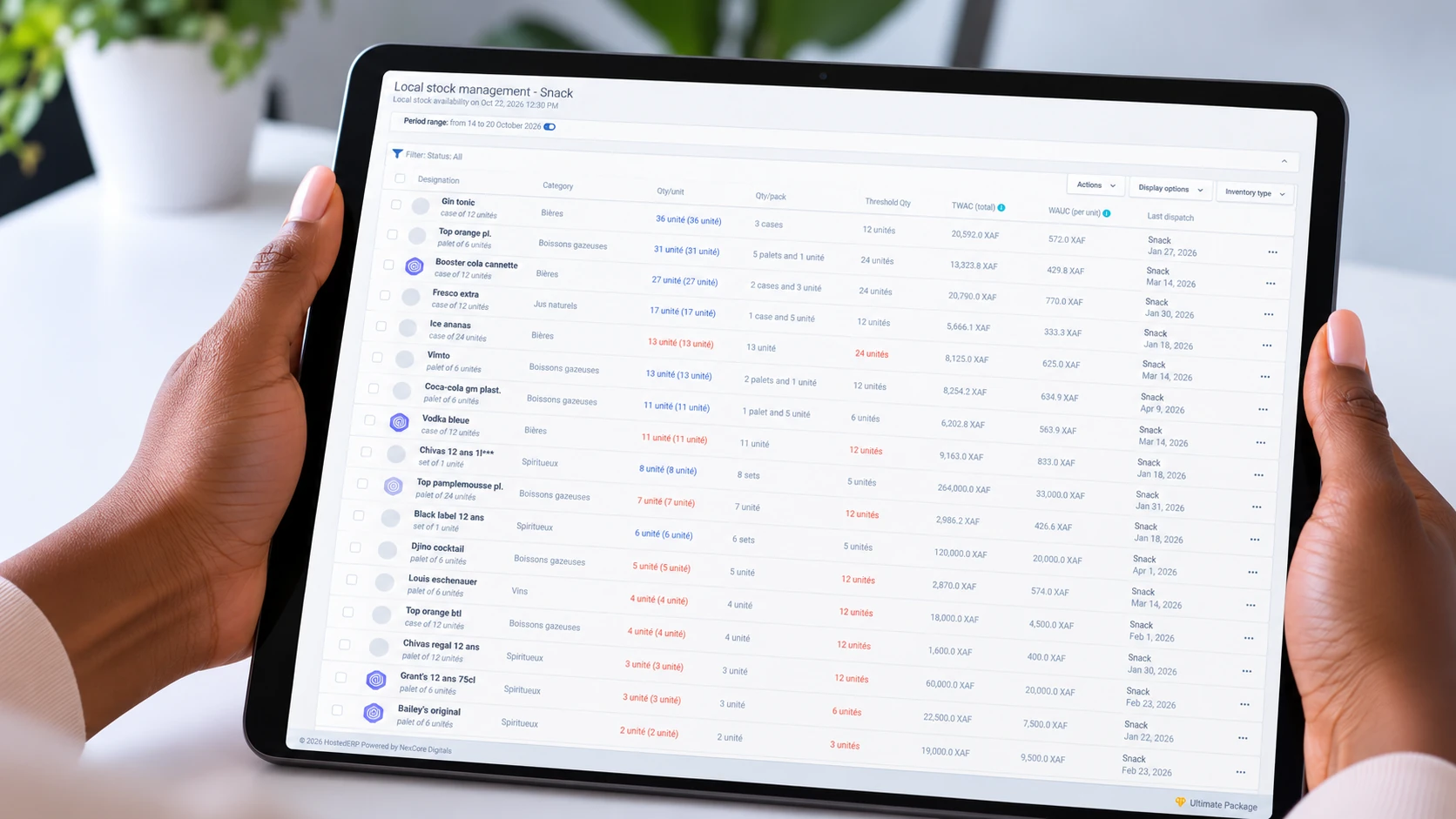
You as stock managerYou print the count sheet, your team counts the shelves, and you enter what is physically there. One line does not match. The count exists to expose exactly that.
Print the blank count sheet
Print the products and locations to count. Count by hand; do not start from the system’s expected figure.
Check: every product on the sheet exists in the location being counted.Enter the counted quantities
Enter what the team physically found, product by product. Do not overwrite the calculated figure with a guess.
Check: the counted quantity and unit match the sheet.Investigate the variance
Compare the count with the calculated figure. A shortage may be waste, a spill, a receiving error or a recipe that was never confirmed. Check the movement history before concluding.
Check: the explanation fits a recorded movement or a known operational event.Record the audited adjustment
Record the variance as an adjustment with its reason. Do not edit the stock total directly and do not submit the same adjustment twice.
Check: the adjustment is visible in the movement history and the new figure follows from it.
Who does what
Stock is safer when ordering, approving, receiving and counting are not all the same person. A small team may combine roles, but the choice should be deliberate.
- Your administrator sets the roles and can combine them for a small team.
- You as stock manager raise orders, receive, dispatch and count.
- Your manager approves purchases and reviews the variance.
- Your team counts the shelf; the count is evidence, not an opinion.
When the delivery price differs, correct it on the delivery. That updates the supplier price for the next order instead of leaving a stale price on file.
Reports to check
Inventory Report
Stock movement across warehouse and departments, availability against reorder thresholds, and usage tied to sales.
Main Warehouse Reports
Purchase orders, deliveries, movement history, spending and the low-stock list.
Department Stock Reports
Receipts, consumption and department-scoped low-stock views.
Supplier Performance Reports
Spend, purchase history, delivery performance and the suppliers linked to the largest discrepancies.
Stock & Cash Reconciliation Reports
Compare expected stock with the count. Investigate before treating a variance as a loss.
A stock item crossing its reorder threshold or an expense being recorded can reach you as a phone alert — wherever you are. The bell keeps the full record.
Next step
If you serve food or drinks, continue to the restaurant or snack guide to see how sales consume the stock you just received.